
Montrose County Court Dockets
A docket is a court calendar or case activity list. In Montrose County, the state docket search can show district and county court hearing information, search filters, case-number components, parties, attorneys, and the court location tied to a result. It does not open a full case file or provide downloadable pleadings. The docket is the way to locate the case and the court event before asking for a document.
State court dockets and municipal dockets are not interchangeable. District Court handles felony, civil, domestic relations, probate, juvenile, and mental-health matters. County Court handles misdemeanors, traffic infractions, civil cases under $25,000, small claims, protection orders, and felony complaints before transfer. Montrose Municipal Court handles city code, model traffic code, and Uniform Fire and Building Code cases inside city limits.
Find Montrose Court Dockets Online
The Colorado Judicial Branch Docket Search is the main online route for Montrose County district and county court dockets. The notice on the search form says at least one filter in addition to date is required. A practical Montrose search uses county, courthouse, court type, date range, and then party, attorney, or case-number details.
- Open the Colorado Judicial Branch docket search.
- Choose Montrose County, then select Montrose County Justice Center or Nucla Montrose Associate Court if the location is known.
- Select Both, County, or District for court type and pick the needed date range.
- Add a party name, business name, attorney name, attorney bar number, or case-number parts.
- Review the docket result, then request documents through the record request form if copies are needed.
The Colorado Judicial Branch docket search image assigned to Montrose County court dockets shows the public form used for state trial court calendar lookup.
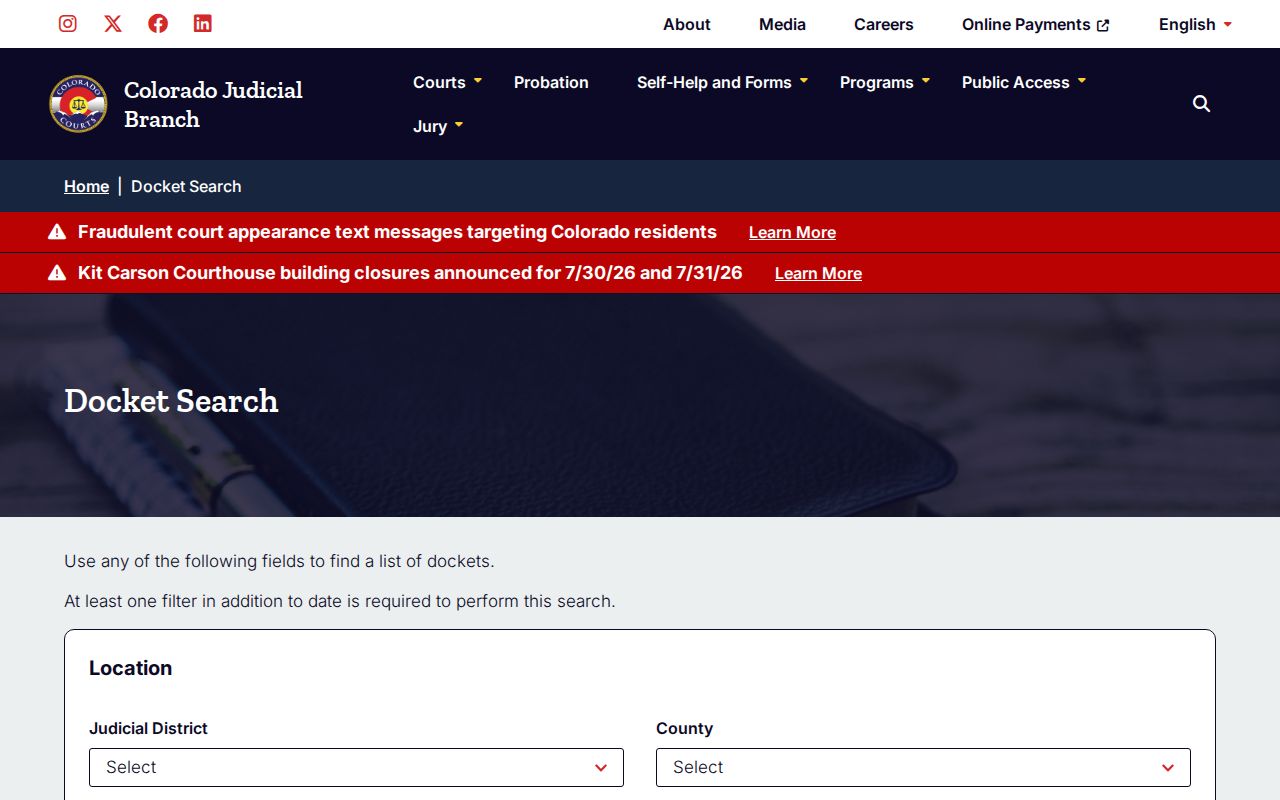
The form is a docket locator, so a result should be treated as a lead to the court file rather than a substitute for the file itself.
Montrose Docket Search Fields
The search-field set is valuable because it shows how Colorado structures docket access. Montrose County searches can be broad, using only county plus date range and a party name, or narrow, using courthouse, court type, case class, and case sequence. Case classes visible in the form include C, CR, CV, CW, DR, JD, JV, M, PR, R, S, and T. Avoid guessing a case class when the court has not confirmed it.
| Field Label | Type | Required | Options / Notes |
|---|---|---|---|
| Judicial District | Dropdown | No | 7th Judicial District applies to Montrose County. |
| County | Dropdown | No | Choose Montrose County from the statewide list. |
| Courthouse | Dropdown | No | Includes Montrose County Justice Center and Nucla Montrose Associate Court. |
| Court Type | Dropdown | No | Both, County, or District. |
| Date Range | Dropdown | Yes-like | 6 months, 3 months, 1 month, 1 week, today, or specific date. |
| Case Number | Text/dropdown parts | No | 4-digit year, case class, and case sequence. |
| Party | Text | No | Individual first and last name or business name. |
| Attorney | Text | No | Attorney name or bar number. |
The Montrose County prefiltered docket search is assigned as a local docket image for the one-week view.
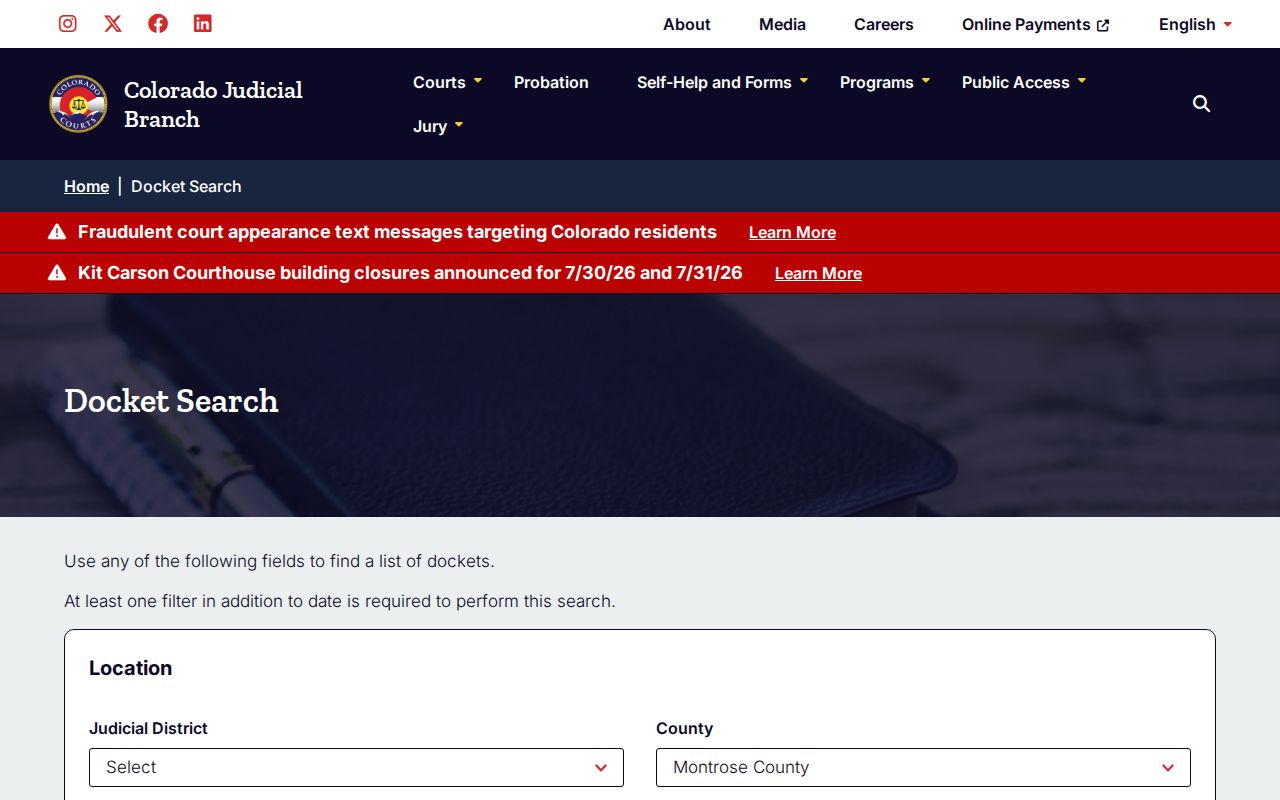
A prefiltered search can save time, but a person still needs a second filter such as a party, attorney, or case number to run a useful docket lookup.
Montrose Courts With Dockets
Montrose County has more than one docket path because the court level matters. State district and county court dockets are searched through Colorado Judicial Branch. City of Montrose Municipal Court posts its own municipal docket and payment routes. Federal court matters, if any, do not appear in the county or municipal docket systems and must be researched through the federal court system.
- Montrose County District Court handles felony, domestic relations, probate, juvenile, civil, and mental-health case dockets.
- Montrose County Court handles misdemeanor, traffic infraction, small-claims, civil under $25,000, protection-order, and felony complaint dockets.
- Nucla Montrose Associate Court handles county court proceedings for the West End jurisdiction.
- Montrose Municipal Court handles city ordinance, model traffic code, and Uniform Fire and Building Code dockets.
Municipal Court sessions are open to the public and are held every Thursday in City Council Chambers on the second floor of the Elks Civic Building. The municipal docket is updated Monday each week except city-observed holidays. Bench warrant questions tied to municipal cases are routed to Municipal Court at 970-240-1428.
Docket vs. Case Record
A Montrose County court docket gives a case trail, but a full case record gives the documents. The docket can be enough to confirm a hearing date or find a case number. It is not enough when a user needs a divorce decree, complaint, information, sentence order, probate letter, judgment, satisfaction, transcript of judgment, or certified copy.
| Docket | Full Case Record | |
|---|---|---|
| Format | Calendar and event listing | Pleadings, orders, registers of action, decrees, and certified copies |
| Access | Colorado docket search or municipal docket PDF | Record/document request form or clerk counter |
| Best Use | Find hearings, case number, court type, and parties | Prove filing content, disposition, judgment, or sentence |
| Limits | No full pleadings or certified documents | May require fees, ID, redaction, or clerk review |
Requests for court documents go through the Judicial Branch record/document request form. The form offers a Register of Action, criminal complaint or information, sentence order, ticket, divorce decree, parenting plan, support order, civil judgment documents, and probate documents.
Read Montrose County Dockets
A docket result should be read from the court level down. Confirm whether the matter is in district court, county court, Nucla associate court, or municipal court. Then check the case-number parts, party names, attorney details, and hearing date. If the case class is CR or M, the record may involve criminal charges. DR points toward domestic relations, PR toward probate, T toward traffic, and CV or C toward civil records, but the court is the final source for the exact classification.
Montrose Municipal Court docket details are more local and narrower. The municipal docket is tied to city matters and is updated weekly when the city is not observing a holiday. For a municipal ticket with a fine amount, the city FAQ says the full amount must be paid before the appearance date to qualify for point reduction when eligible. If the ticket has no fine amount, the person must appear in court on the ticket date.
| Sample Field | What It Means |
|---|---|
| Court | District, county, Nucla associate, or Montrose Municipal Court venue. |
| Location | Montrose County Justice Center, Nucla Montrose Associate Court, or City Council Chambers. |
| Case Number | Year, case class, and case sequence used to identify the file. |
| Party Search | Individual name, business name, or listed party on the docket. |
| Attorney Search | Attorney name or bar number associated with a case. |
| Date Filter | The calendar range used to return docket events. |
| Documents | Not downloaded from the docket form; request through the clerk process. |
Note: Suppressed cases, juvenile records, probate restrictions, and confidential information can limit what a docket or clerk record shows.